Capstone Project - Overview
This practice will be divided into three parts: - Part 01: Important tags in HTML5 - Part 02: Practical exercises with instructions - Part 03: Self-practice exercises -
1. Capstone Project’s description
Develop of a significantly complex software system, employing knowledge gained from courses throughout the program including defining requirements, design, implementation, and quality assurance. Students must follow a suitable process model, pay attention to quality issues, and manage the project themselves, following all appropriate project management techniques. Success of the project has to deliver the stages on times.
Sample deliverables:
Students should deliver one or several iterations of a software system, along with all artifacts appropriate to the process model they are using. These would likely include a project plan (perhaps updated regularly and containing cost estimations, risk analysis, division of the work into tasks, etc.), requirements (including use cases), architectural and design documents, test plans, source code, and an installable software package.
Additional teaching considerations:
- It is anticipated that this course will not have formal lectures, although students are expected to attend progress presentations by other groups.
- It is suggested that students be required to have a ‘customer’ for whom they are developing their software. This could be a company, a professor, or several people selected as representing people in the potential market. The objective of the project would be to solve the customer’s problem, and the customer would therefore assist the instructor in evaluating the work.
- It is strongly suggested that students work in groups of at least three, and preferably four or five, on their capstone project. Strategies must be developed to handle situations where the contribution of team members is unequal.
2. The IT Capstone Project Products
The Capstone Project Product is composed of 7 parts:
- Part 1: Project Introduction
- Part 2: Project Management Plan (PMP)
- Part 3: Software Requirements Specifications (SRS)
- Part 4: Software Design Description (SDD)
- Part 5: Software Test Documentation (STD)
- Part 6: Software User Guides (SUG)
- Part 7: Software Product (SP)
If you want to create a static web project, you can follow like this:
In the local computer, you can organize the folder structure on your computer as follows:
- Folder css: It contains .css files for styling your web page.
- Folder images: It contains image files which is used for your site. Moreover, you can create some folders such as video, audio,…and it is the same level with “images” folder.
- Folder js: It contains Javascript files (.js files) for interaction with your site.
- You can create many .html files in the same level with folders above. Or you can put .html files to other folders (depending on the intended use).
Academic policy
- Cheating, plagiarism and breach of copyright are serious offenses under this Policy.
- Cheating Cheating during a test or exam is construed as talking, peeking at another student’s paper or any other clandestine method of transmitting information.
- Plagiarism Plagiarism is using the work of others without citing it; that is, holding the work of others out as your own work. Breach of Copyright If you photocopy a textbook without the copyright holder’s permission, you violate copyright law.
Prerequisite(s)
PRF192 - Programming Fundamentals
Java Technology
Java technology is a high-level, robust, and secure programming platform. It includes:
- Java Programming Language: A powerful, object-oriented language.
- Java Virtual Machine (JVM): Executes Java bytecode and enables cross-platform functionality.
- Java Application Programming Interface (API): A large collection of ready-to-use libraries and tools.
The Java Programming Language
Java is:
- Object-Oriented: Based on objects and classes.
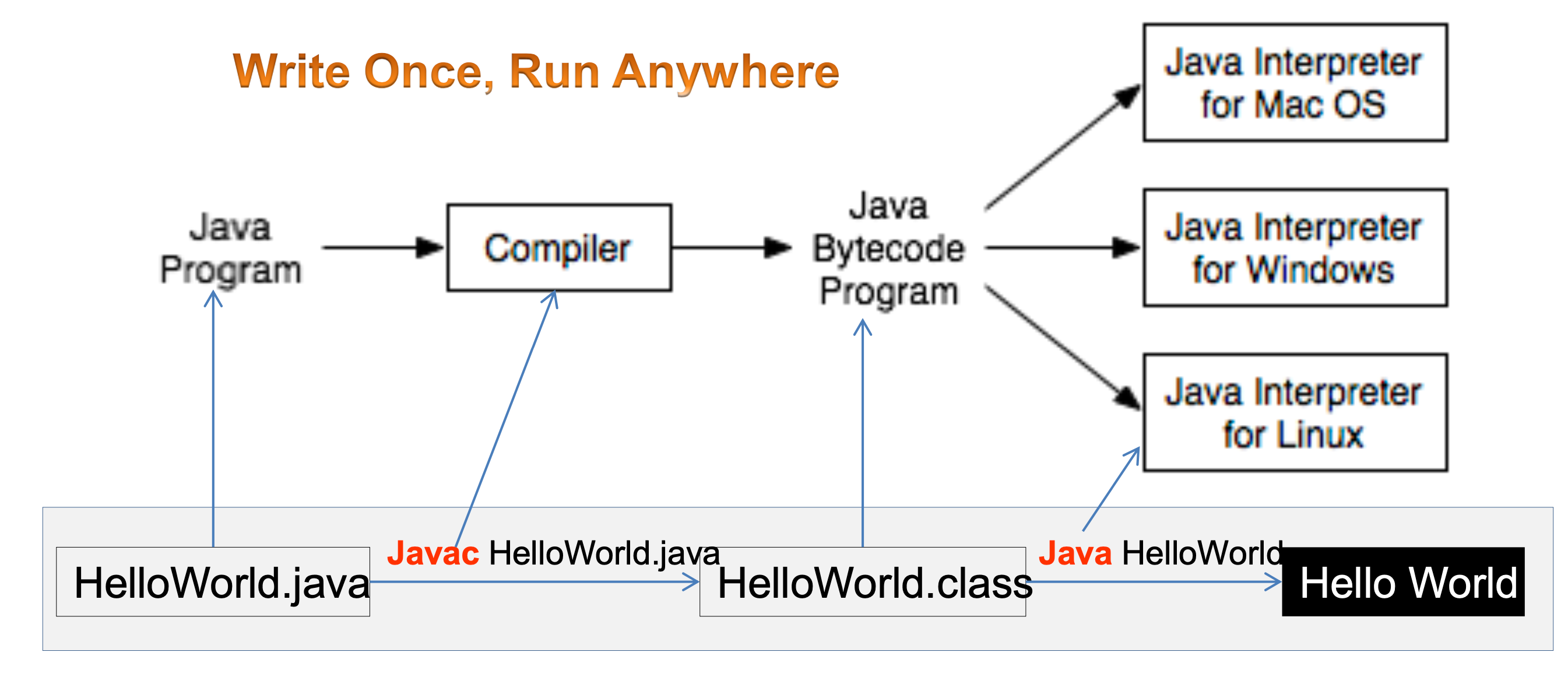
- Platform-Independent: Write once, run anywhere (WORA) through the JVM.
- Strongly Typed: Type checking at both compile-time and runtime.
- Syntax Similar to C/C++: Makes it easy for developers from those backgrounds.
Java Platform
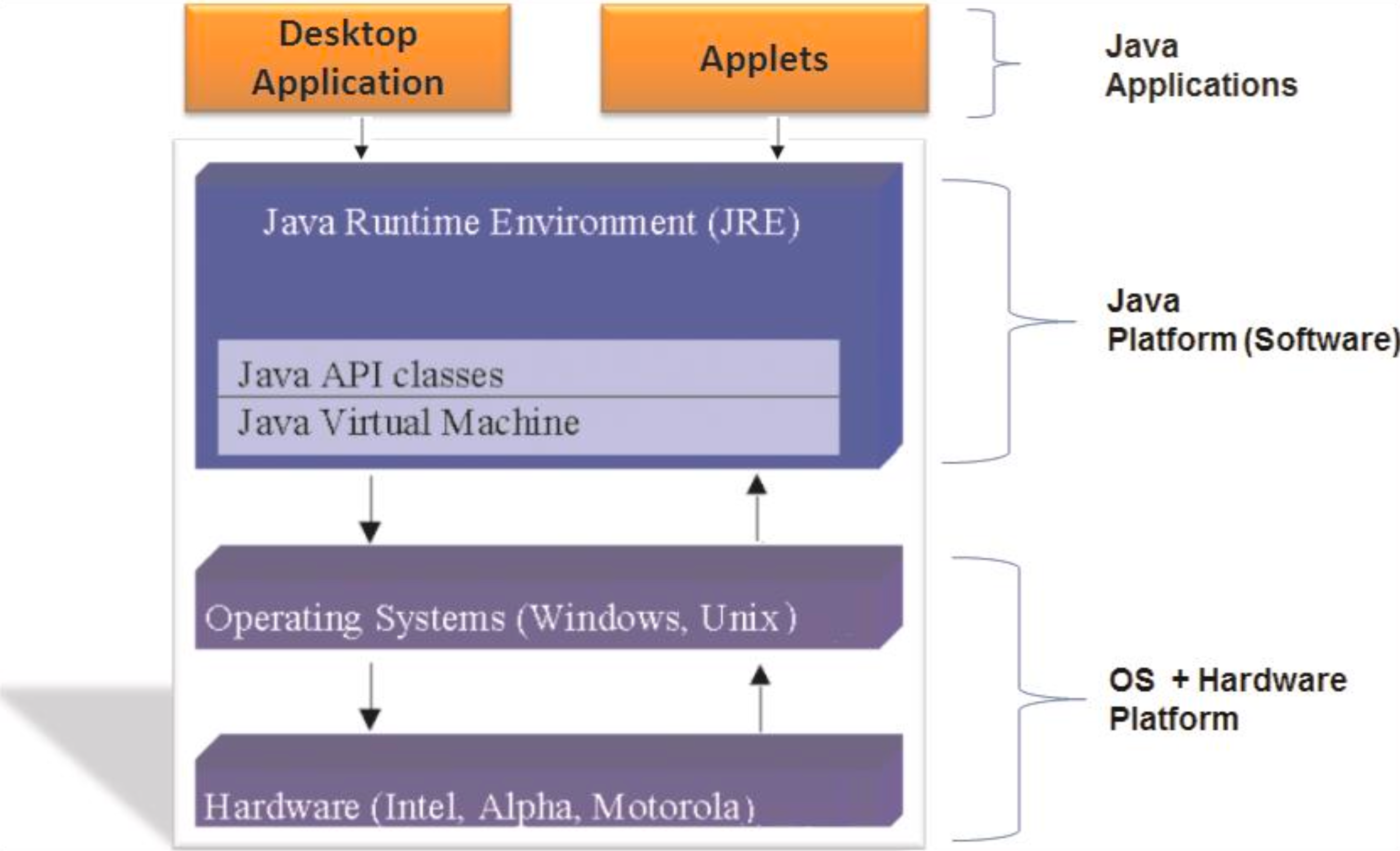
The Java platform includes:
- JDK (Java Development Kit): Tools for developing Java applications.
- JRE (Java Runtime Environment): Libraries and JVM needed to run Java applications.
- JVM (Java Virtual Machine): Core of the platform that runs bytecode.
Java Platform Editions
- Java SE (Standard Edition): Core functionality for general-purpose programming.
- Java EE (Enterprise Edition): Tools for enterprise-level applications (now Jakarta EE).
- Java ME (Micro Edition): Tailored for embedded systems and mobile devices.
- JavaFX: For developing rich GUI applications.
Bytecode
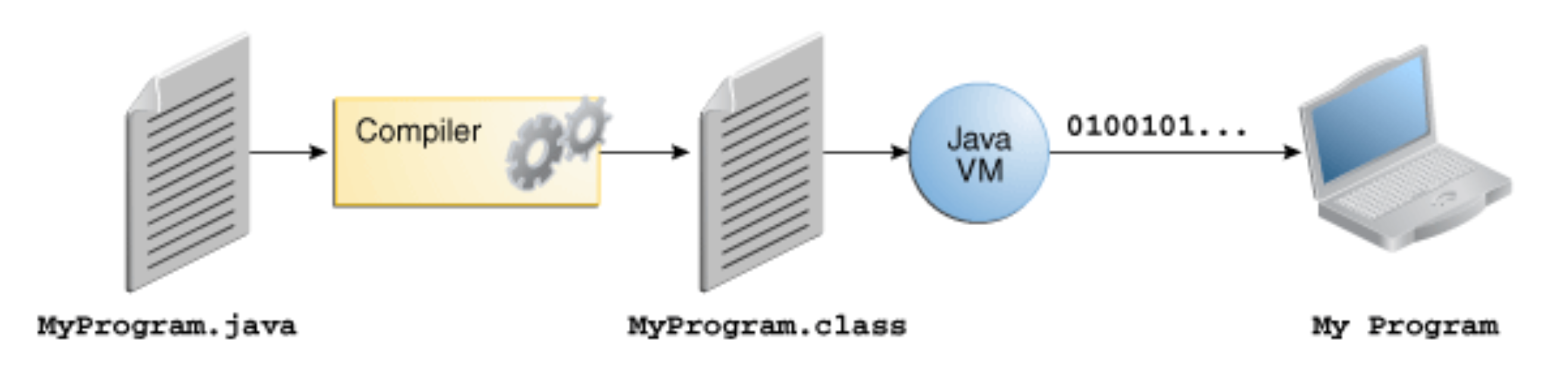
- What is Bytecode?: Intermediate, platform-independent code generated by the Java compiler.
- Executed by the JVM, not directly by the operating system.
- Enables portability, security, and performance optimization.
- Stored in
.classfiles after compiling.javasource files.
Example: A Simple Java Program
1
2
3
4
5
public class HelloWorld {
    public static void main(String[] args) {
        System.out.println("Hello, World!");
    }
}